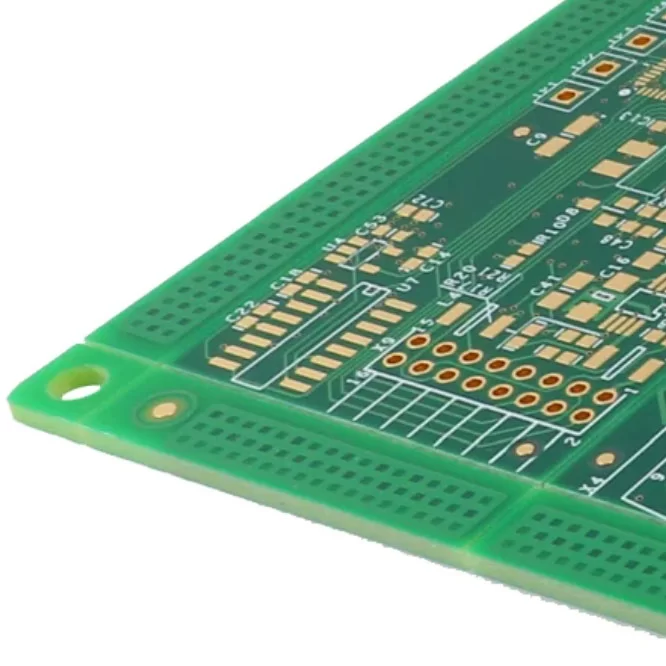
Printed Circuit Boards (PCBs) are designed to provide stable electrical connections throughout the lifetime of an electronic product. However, prolonged exposure to moisture, chemicals, dust, or corrosive environments can gradually damage the metal surfaces on a PCB. This process, known as PCB corrosion, can affect copper traces, solder joints, component leads, and connectors, eventually leading to unreliable electrical performance or complete circuit failure.
Corrosion rarely remains isolated to one location. Once it begins, it can spread across nearby copper traces and solder joints, increasing resistance, interrupting signal transmission, and damaging critical components. Learning how to clean PCB corrosion effectively allows technicians to restore many circuit boards before the damage becomes irreversible.

What is PCB Corrosion?
PCB corrosion is the gradual deterioration of metallic surfaces caused by chemical or electrochemical reactions with the surrounding environment.
Copper, tin, nickel, and solder alloys naturally react with moisture, oxygen, salts, acids, and other contaminants. These reactions create corrosion products that appear as green, blue, white, brown, or black deposits on the PCB surface.
As corrosion progresses, electrical conductivity decreases while contact resistance increases. Eventually, copper traces may become weakened or completely break, solder joints may fail, and electronic components may lose reliable electrical connections.
Detecting corrosion early significantly reduces repair costs and extends the operating life of electronic equipment.
Common Causes of PCB Corrosion
PCB corrosion can develop under various environmental and operational conditions. Understanding these causes helps reduce the likelihood of future failures.
Humidity and Moisture
Moisture is the leading cause of PCB corrosion. High humidity allows oxidation and electrochemical reactions to occur more rapidly, especially when contaminants are present.
Battery Leakage
Leaking alkaline or lithium batteries release corrosive chemicals that attack nearby copper traces, solder joints, and component leads, often causing severe localized damage.
Flux Residues
If solder flux residues remain on the PCB after assembly, they may absorb moisture over time and become conductive, accelerating corrosion.
Chemical Contamination
Exposure to cleaning solvents, industrial chemicals, acids, or corrosive gases can gradually attack metallic surfaces and protective coatings.
Exposure to Salt
Electronic equipment used in marine environments or coastal regions experiences accelerated corrosion because airborne salt attracts moisture and increases electrical conductivity.
Improper Storage
Storing PCBs in humid, dusty, or uncontrolled environments allows moisture and contaminants to accumulate, increasing corrosion risk before the boards are even installed.
Industrial Pollution
Factories containing sulfur compounds, chemical vapors, or metallic dust expose PCBs to aggressive contaminants that gradually corrode conductive materials.
Understanding these environmental factors is the first step toward mastering how to clean PCB corrosion effectively.
Types of PCB Corrosion
Different forms of corrosion affect PCBs in different ways. Identifying the corrosion type helps determine the most appropriate cleaning and repair method.
Oxidation
Oxidation occurs when copper or other metals react naturally with oxygen and moisture in the surrounding air.
The metal surface gradually becomes dull or discolored, reducing solderability and increasing electrical resistance. Although oxidation develops slowly, it should not be ignored.
Galvanic Corrosion
Galvanic corrosion occurs when two different metals come into electrical contact while moisture acts as an electrolyte.
One metal corrodes faster than the other, often causing hidden deterioration beneath connectors or solder joints before obvious surface damage becomes visible.
Electrolytic Corrosion
Electrolytic corrosion develops when electrical voltage is present across contaminated surfaces.
Moisture containing ionic contaminants allows metal ions to migrate between adjacent conductors, eventually forming unintended conductive paths that may result in leakage current or short circuits.
This type of corrosion is especially dangerous in high-density PCB designs.
Chemical Corrosion
Chemical corrosion results from direct exposure to aggressive chemicals, acids, solvents, or unsuitable cleaning agents.
Unlike natural oxidation, chemical corrosion often progresses rapidly and may attack copper traces, solder masks, and electronic components simultaneously.
Signs of PCB Corrosion
Early detection greatly improves the chances of successful repair.
Common warning signs include:
l Green, blue, or white deposits on copper traces or solder joints
l Brown or black discoloration around metal surfaces
l Flaking or lifted copper traces
l Cracked or weakened solder joints
l Unexplained intermittent electrical faults
l Random device resets or unstable operation
l Connectors showing discoloration or poor electrical contact
Routine visual inspection helps identify these symptoms before permanent damage occurs.
How to Clean PCB Corrosion
Successful PCB cleaning requires patience, proper tools, and careful handling. Rushing the cleaning process may damage delicate copper traces or surface-mount components.
1. Analyse the Level of Damage
Begin by inspecting the entire PCB under bright lighting using a magnifying glass or microscope.
Determine whether the corrosion is limited to the surface or whether copper traces, solder joints, connectors, or components have already been damaged.
Surface corrosion can usually be cleaned successfully, while severe structural damage may require component replacement or PCB repair.
2. Remove Loose and Surface Debris
Use a soft ESD-safe brush to gently remove loose corrosion products, dust, and contaminants.
Compressed air may help clean narrow spaces beneath connectors or between densely packed components.
Avoid excessive force because aggressive brushing can lift solder masks or damage fragile copper traces.
3. Apply IPA and Rinse
High-purity isopropyl alcohol (IPA), preferably above 90%, is widely regarded as the safest cleaning solvent for PCB maintenance.
Moisten a soft brush or cotton swab with IPA and gently scrub the affected areas until corrosion deposits dissolve.
For stubborn contamination, repeat the cleaning process several times rather than applying excessive pressure.
After cleaning, rinse the PCB with distilled water if appropriate. Distilled water leaves minimal residue, unlike ordinary tap water, which contains minerals that may promote future corrosion.
For highly contaminated boards, ultrasonic cleaning equipment may provide superior cleaning performance.
Learning this process is essential for anyone studying how to clean PCB corrosion effectively.
4. Dry Thoroughly
Completely drying the PCB is just as important as cleaning it.
Residual moisture trapped beneath components or connectors may restart the corrosion process after power is restored.
Dry the board using lint-free cloths, compressed air, or low-temperature warm air until all moisture has evaporated.
Allow additional drying time before reconnecting power.
5. Revalidate
After cleaning, inspect the PCB once again.
Check for remaining corrosion, damaged solder joints, lifted pads, broken traces, or failed components.
If necessary, repair damaged copper traces, replace defective components, and reflow compromised solder joints.
Finally, perform electrical testing to verify that the PCB operates correctly before returning it to service.

Tools and Materials Required
Successful PCB cleaning typically requires the following equipment:
l 90% or higher isopropyl alcohol (IPA)
l Distilled water
l Soft ESD-safe cleaning brush
l Cotton swabs
l Lint-free cleaning cloth
l Compressed air
l Protective gloves
l Safety glasses
l Anti-static work surface and wrist strap
A clean, organized workstation reduces contamination while protecting sensitive electronic components during maintenance.
What Not to Use
Using unsuitable cleaning materials may permanently damage the PCB.
Avoid the following:
l Steel wool or sandpaper, which scratch copper traces and remove solder masks
l Wire brushes, which can destroy fine conductors and surface-mount components
l Household cleaning products, which often contain corrosive chemicals
l Acetone, which may damage solder masks, plastics, and printed markings
l Tap water, which leaves conductive mineral residues after drying
Choosing appropriate cleaning materials is just as important as selecting the correct cleaning procedure.
When to Repair or Replace a Corroded PCB
Whether a PCB should be repaired or replaced depends largely on the severity of corrosion.
Cleaning and repair are usually worthwhile when corrosion remains limited to the surface, copper traces remain intact, and only a few components require replacement.
Replacement is generally recommended when corrosion has extensively damaged copper conductors, affected multiple internal layers of a multilayer PCB, destroyed numerous components, or compromised the structural integrity of the board.
Attempting repeated repairs on severely corroded PCBs often proves less economical than replacing the entire assembly.
How to Prevent PCB Corrosion
Preventive maintenance remains the most effective solution.
Store PCBs in dry, temperature-controlled environments using moisture-resistant packaging whenever possible.
Include silica gel desiccants during storage and transportation to reduce humidity.
Apply conformal coatings to protect exposed conductors in harsh environments.
Regularly inspect and clean electronic equipment to remove dust, salt deposits, and contaminants before corrosion develops.
Remove batteries from equipment during long-term storage to eliminate leakage risks.
Use sealed enclosures with appropriate IP ratings whenever electronic equipment operates outdoors or in humid environments.
These preventive measures significantly extend PCB service life while reducing maintenance costs.
Common PCB Corrosion Cleaning Mistakes
Several common mistakes can unintentionally worsen PCB damage.
Using tap water introduces minerals that promote future corrosion.
Aggressive solvents such as acetone may damage protective coatings and component markings.
Scrubbing too hard may remove copper traces or solder pads.
Powering the PCB before it has completely dried can cause additional electrical failures.
Ignoring electrostatic discharge precautions may damage sensitive integrated circuits even when corrosion has been successfully removed.
Avoiding these errors improves both repair quality and long-term reliability.